

7 Crypto Security Tips To Protect Your Calls & Video Conferencing

The most significant crypto losses of the past few years didn’t start on-chain. They began with a calendar invite, a hiring call, a Discord thread, or a “quick” screen share. North Korea–linked interview scams have tricked victims into pasting commands mid-call. Axie/Ronin fell victim to a “dream job” DM paired with a poisoned document. Ledger’s Discord was hijacked to redirect users to malicious sites that steal seeds.
In crypto, your communications are just as critical as your smart contracts. A single careless click, an unverified link, or a shared screen can put your assets at risk — no matter how secure your code is.
This guide transforms those lessons into 7 practical crypto security tips: how to collaborate on calls without exposing sensitive data, how to select the right “envelope” for messages, and how to remain reachable without compromising your identity.
1. Share the Work — Never the Workspace
Screens carry context. A single full desktop share can reveal your wallet balances, seed phrases, or other personal data. A simple hygiene routine before and during calls can dramatically reduce that risk:
- Stage the view: Close “recent files,” hide bookmarks, and disable sensitive extensions. Use a clean browser profile for demos.
- Share a single window/tab: Only show the relevant window; keep wallets, terminals, and admin consoles off-screen unless they are part of the demo.
- Confirm before you show: Narrate what you’re about to share and pause for a quick teammate check.
- Send artifacts the right way: Transfer files via encrypted in-meeting file transfer rather than long-lived chats.
- End the session: Wrap the meeting before moving to unrelated work so the room and chat history are clear.
Why the fuss? Because attackers exploit exactly these moments. From fake job interviews to Discord phishing links, most compromises hinge on someone opening the wrong file or exposing the wrong tab during a live call.
Try extrasafe.chat for free video conferencing. It’s perfect for team collaboration.
2. Make Secure Habits the Default
To make these habits stick, incorporate them into your default workflow rather than something you have to remember. The easiest way is to work with a tool that seamlessly integrates security into how you meet, message, and call contacts. extrasafe.chat is a secure-by-default app built with Ethereum algorithm security, offering auto vanish meeting messages, private reachability without revealing personal information, and account recovery that keeps your keys safely on your device without ever touching a server.
3. Pick the Right Envelope: Messages vs. Meetings
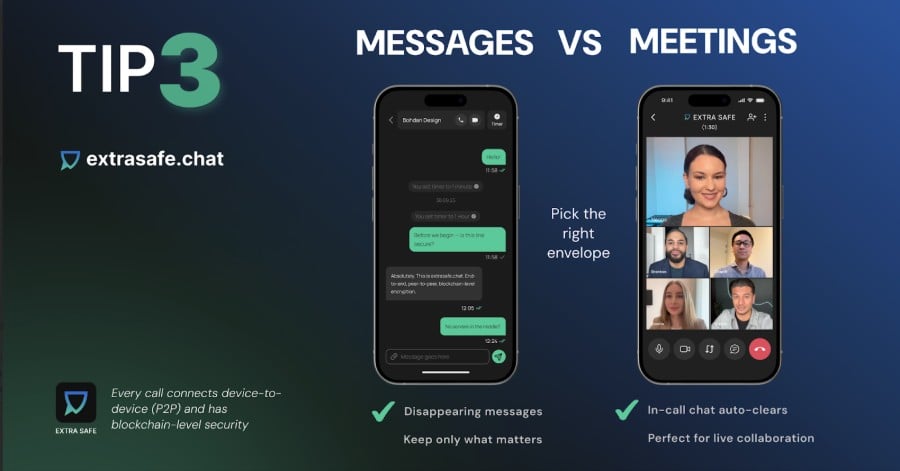
Chats and meetings serve different purposes, so treat them as separate retention models. Decide what should live past the call — and what shouldn’t.
For ongoing threads, use disappearing messages with flexible timers (e.g., 1 minute, 1 hour, 1 day, or 1 week) and write as usual; the chat follows your timer until you change it.
For live collaboration, keep links, notes, and temporary content in the in-call chat, which clears automatically when the session ends. This isn’t just security theater — it limits the amount of sensitive information that could be exfiltrated later.
There is one caveat to keep in mind: disappearing messages can’t prevent screenshots or cameras. Timers help reduce exposure but won’t stop an adversary who’s already present. Setting a short timer further limits the usefulness of any captured content.
How this works in EXTRA SAFE: On mobile and tablet, you can set a timer for each chat. The meeting chat clears automatically the moment the session ends. Voice, video, and screen sharing utilize P2P WebRTC, which encrypts all data by default.
4. Verify Identity Before Sharing Anything
Being easy to reach shouldn’t require handing out a phone number or email that links back to your real-world identity.
Some situations demand extra caution. If a colleague requests a document containing production keys, or a friend messages you for a quick crypto loan, don’t respond in the channel where the request arrived. Instead, move the conversation to another chat to verify it’s really him.
In practice, this means continuing the discussion in a thread you trust, one where you’ve previously confirmed the contact’s handle or ID — and performing a quick challenge-response if anything feels off, such as a brief voice call or a short code exchange. Once in the verified thread, limit exposure by sharing only what’s necessary. Opt for in-call file transfer over sending files in long-lived chats, and end the session so the room clears when done. If text must persist briefly, use a short timer.
For sensitive work requests, like “send keys” or “add me to prod,” never paste secrets into chat. Instead, use a just-in-time access path with least privilege, or share a redacted reference accessible only during the session. For personal requests, such as short-term loans, verify identity out-of-band (e.g., via voice), confirm destination addresses through a trusted channel, and avoid links or QR codes sent in untrusted channels.
5. Anonymous Connections, Real Privacy
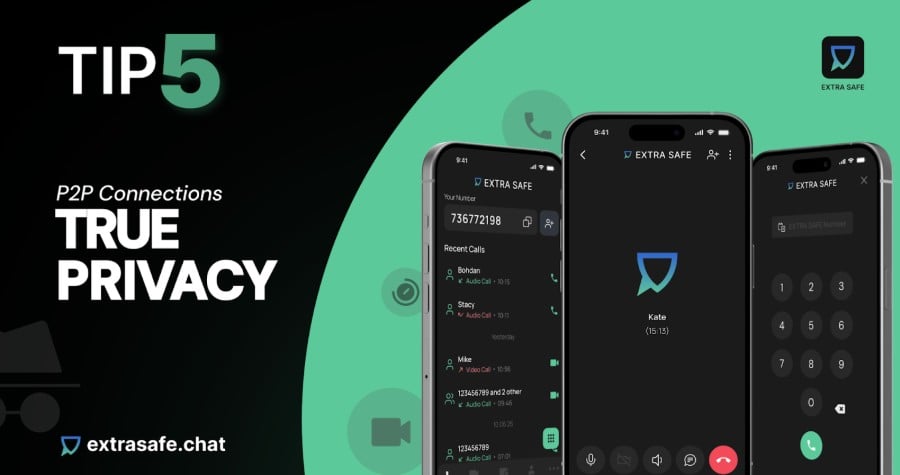
Being reachable is essential — but not at the cost of exposing your real-world identity.
In EXTRA SAFE, each device generates a unique nine-digit EXTRA SAFE number — a random identity that isn’t linked to your SIM, phonebook, or email. First contact often starts with an invite link. Once accepted, you appear in each other’s contacts, and you can assign role-based nicknames so colleagues recognize you without learning anything unnecessary.
This allows you to stay connected without sharing identifiers that can be linked back to you.
6. Control Multi-Device Continuity
You need a seamless way to move between devices while maintaining key custody and anonymity.
In EXTRA SAFE, the app creates a long-lived on-device account (your cryptographic keypair) and your EXTRA SAFE number. Private keys never leave your device, and a seed phrase allows you to restore your number and contacts on a new device, maintaining the same identity across different hardware.
For ad-hoc work, the browser creates a temporary account for free video conferencing. Encryption is implemented locally: messages and files use AES-256-GCM, and in-meeting file transfer runs over WebRTC DataChannel with duplicated keys.
7. For Highly Sensitive Calls, Use Blockchain-Level Security
When the stakes are highest — treasury approvals, investor briefings, or confidential deals — you need the same security principles that blockchains themselves rely on: self-custody, locally generated keys, and peer-to-peer connections.
That’s why the crypto community increasingly turns to EXTRA SAFE, the best video conferencing app for sensitive conversations.
- Every call connects device-to-device (P2P) and provides blockchain-level security.
- Keys are generated locally on your device and never leave it.
- Each device comes with its own EXTRA SAFE number — a private, phone-like identity not tied to SIM cards or emails.
- Video calls, voice calls, chats, screen shares, and file transfers are all encrypted.
- Disappearing messages and auto-clearing meeting chats ensure nothing lingers after a session.
- Works instantly in your browser for free video conferencing, or via the mobile app with a permanent private identity.
For the crypto community, EXTRA SAFE is more than just another calling app — it’s a trusted environment designed for private communication, built on the same security ethos that secures blockchains.
EXTRA SAFE is designed for the everyday challenges crypto users face — staying anonymous, keeping calls short and focused, and ensuring sensitive information never slips out. This focus on privacy and efficiency makes it especially valuable in high-stakes Web3 scenarios, such as:
- DAO treasury votes and multisig coordination
- Web3 project investor or community briefings
- Vendor due diligence for token launches or smart contract audits
- Contractor onboarding/offboarding for decentralized teams
- OTC crypto deals and wallet-address confirmation
- NFT community fund management or creator royalty payouts
- Personal cases, like verifying a friend before sending a wallet-to-wallet loan
Conclusion
In crypto, your first line of defense is data-privacy hygiene. Tighten your tone and what you convey. Every call and chat is part of your attack surface, so share the work, not the workspace. Use an auto-delete timer or a temporary chat to prevent sensitive notes from lingering. Stay reachable without exposing yourself, and keep recovery simple yet private so a lost device doesn’t become a lost treasury.
To make that easy in practice, extrasafe.chat turns these habits into defaults. Every call connects device-to-device (P2P) and has blockchain-level security. Messages and files are encrypted end-to-end, while video, voice, and screen sharing run on peer-to-peer WebRTC with built-in encryption. Meeting chats clear automatically at the end of each session, leaving nothing behind.
In the browser, each session generates a temporary identity for free video conferencing. On mobile, the app creates your permanent nine-digit EXTRA SAFE number for private reachability. Keys are generated locally on your device and never leave it, with recovery handled through a seed phrase. This makes privacy effortless: fast, anonymous, and secure against phishing or leaks.
You May Also Like

a16z Crypto Founder Discusses Stablecoins: The "WhatsApp Moment" in the Crypto World Has Arrived

House Judiciary Rejects Vote To Subpoena Banks CEOs For Epstein Case
